
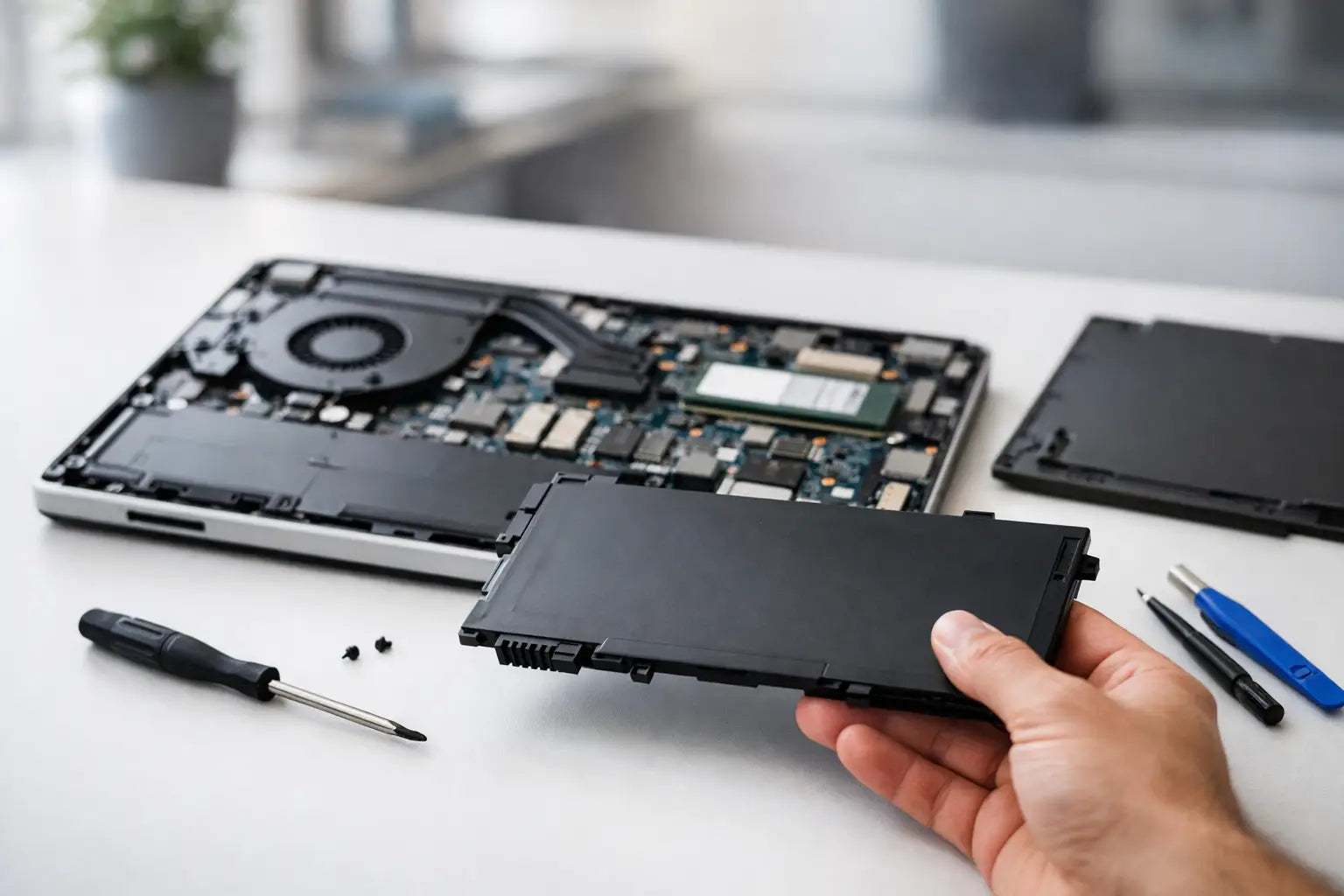
Your HP laptop is fine on charge, then drops from 40% to flat the second you unplug it. Or maybe it only works when the charger is connected. That is usually the point where hp laptop battery replacement stops being a future job and becomes something you need sorted soon.
A failing battery is more than an annoyance. It changes how you use the laptop, makes work or study harder, and in some cases can become a safety issue if the battery starts swelling. The good news is that not every battery problem means the whole laptop is finished. In many cases, replacing the battery is the most cost-effective fix, especially if the rest of the device is still doing the job.
When hp laptop battery replacement makes sense
Laptop batteries wear out. That is normal. Most lose capacity gradually over time, and you notice it first in shorter battery life, slower charging, or sudden shutdowns even when the battery indicator says there is charge left.
If your HP laptop is still fast enough for everyday use, the screen is in good condition, and the keyboard, charger port, and hinges are all sound, replacing the battery is often the sensible option. It is usually far cheaper than buying a new laptop, and it gives you back the basic convenience you expect - being able to use the device away from a plug socket.
It depends on the age of the laptop, though. If the battery is failing on a machine that also has a cracked screen, a worn charging port, overheating issues, and a very slow hard drive, the battery may only be one part of a bigger problem. In that situation, it is worth checking the full condition of the laptop before spending money on repairs.
Signs your HP battery is on the way out
Some battery failures are obvious, while others are easy to miss at first. Short battery life is the classic sign, but there are a few others that matter just as much.
If the laptop switches off without warning, charges very slowly, refuses to go above a certain percentage, or gets unusually warm around the battery area, that points to battery trouble. You might also see warning messages in Windows or through HP diagnostics saying the battery should be replaced.
Physical swelling is the one sign you should not ignore. If the trackpad lifts, the bottom cover bulges, or the case no longer sits flat on a desk, stop using the laptop and get it checked. A swollen battery is not something to put off until next week.
Battery issue or charger issue?
Not every power problem means the battery is dead. A damaged charger, worn charging port, or motherboard fault can look similar. That is why proper diagnosis matters.
For example, if your laptop only charges when the cable is held at a certain angle, the problem may be the port rather than the battery. If it powers on and off randomly even on mains power, there may be a different internal fault. Replacing the battery without checking these basics can waste both time and money.
Built-in and removable HP batteries
Older HP laptops often had removable batteries that clipped in and out from the base. Those were straightforward to swap. Many newer HP models use internal batteries, which means the bottom cover has to come off and the correct battery has to be matched to the exact model.
That matters because HP laptops are not all built the same way. Pavilion, ProBook, EliteBook, Envy, and Victus models can use different battery types even when they look similar from the outside. Buying the wrong part is common, especially when people go by screen size alone instead of the full model number.
With internal batteries, there is also more chance of damaging clips, screws, or delicate cables during a DIY repair. If you are confident and using the exact correct part, it can be manageable. If not, a fitted replacement is usually the safer option.
Should you replace the battery yourself?
This is where honesty saves hassle. If your HP laptop has an easy-access battery, you have the right tools, and you are comfortable opening devices, a DIY replacement can work. It may be the cheapest route.
But cheaper does not always mean better value. A lot of problems come from poor-quality batteries, incorrect parts, stripped screws, snapped cover clips, or connectors forced into place the wrong way. Once that happens, a simple battery job can turn into a more expensive repair.
For most everyday users, the better option is to have the battery tested and replaced properly. You get confirmation that the battery is actually the problem, the correct part is fitted, and the laptop can be checked for related issues such as charger faults, overheating, or power management problems.
What to expect from an HP laptop battery replacement service
A proper repair should start with identifying the exact HP model and confirming the fault. That sounds basic, but it is the bit that prevents wrong-part orders and avoidable delays.
Once the battery is matched, the old battery is removed and the replacement is fitted. On many laptops, that also means checking the internal condition while the device is open. Dust build-up, fan noise, loose hinges, and signs of liquid damage are often spotted at the same time. That can be helpful if you want to avoid another issue a few weeks later.
After fitting, the laptop should be tested for charging behaviour and battery recognition. A good replacement is not just about whether the device powers on. It is about whether the battery charges correctly, holds charge properly, and works as expected in normal use.
How long does it take?
That depends on stock availability and the exact model. Some HP batteries are common and can be replaced quickly. Others need to be ordered in. If you rely on your laptop daily for college, work, or home admin, that turnaround matters as much as price.
This is where using a repair shop that also handles parts supply can make life easier. If the battery is already in stock, you avoid the wait and the guesswork.
How much should hp laptop battery replacement cost?
There is no one-price-fits-all answer because HP uses a wide range of batteries. Cost usually depends on the model, battery type, part quality, and whether fitting is included.
Very cheap options online can be tempting, but quality varies a lot. Some aftermarket batteries perform well. Others lose capacity quickly, report charge levels inaccurately, or fail far sooner than expected. If price is the only factor, you can end up paying twice.
A fair battery replacement price should reflect the correct part, proper fitting, and basic testing. It is worth asking what is included rather than comparing headline prices alone. The cheapest quote is not always the cheapest fix in the long run.
Is it worth replacing the battery or buying a new laptop?
For plenty of people, battery replacement is the obvious choice. If your HP laptop still handles browsing, office work, school tasks, streaming, emails, and video calls without much trouble, a new battery can give it a useful second life.
If the laptop is very old, painfully slow, or already needs several repairs, the decision changes. Spending on a battery for a machine that no longer suits your needs may not be the best use of your money. A quick assessment of the overall condition helps here.
The key question is simple: if the battery were fixed tomorrow, would you be happy to keep using the laptop? If the answer is yes, replacement usually makes sense.
Getting more life from your new battery
Once the new battery is fitted, a few habits can help it last better. Heat is one of the biggest battery killers, so keeping vents clear and avoiding soft surfaces like duvets or cushions makes a difference. Using the correct charger matters too.
You do not need to obsess over charge percentages, but constant overheating, poor ventilation, and cheap replacement chargers can shorten battery life. If your laptop runs hot or the fan is always loud, it is worth getting that looked at as well, because battery health and general internal health often go hand in hand.
If you are based in Ireland and need a practical fix rather than guesswork, getting the battery checked properly is usually the fastest route. A good repair should leave you with a laptop that works the way it is meant to - portable, reliable, and not tied to the nearest wall socket.
Before you give up on the device, check whether the battery is the only thing holding it back. In many cases, a straightforward replacement is all it takes to make the laptop useful again.