
What if the replacement battery isn’t the real reason your charge is dropping? If you have a phone battery draining fast after new battery installed, it’s frustrating to see the problem return. A new battery doesn’t rule out other causes. Background apps, a weak mobile signal, a recent update or a charging issue can all affect how quickly the charge falls.
Before assuming the replacement part is faulty, check how and when the battery drains. This guide explains how to review battery usage, spot recent changes and compare active use with standby drain. It also covers warning signs such as unusual heat, visible swelling or sudden shutdowns. If basic checks don’t explain persistent drain, we provide mobile phone and battery repairs nationwide. You’ll know what you can safely check yourself and when professional repair is the sensible next step.
Key Takeaways
- A phone battery draining fast after new battery installed doesn’t automatically mean the replacement battery is faulty.
- Restart your phone and review battery usage before changing settings or removing apps.
- Compare drain during standby and active use, and note any recent app, software or settings changes.
- Persistent drain, unexpected shutdowns or charging irregularities are reasons to consider professional mobile phone repair.
Phone battery draining fast after a new battery: what could be happening?
A phone losing charge quickly after a battery replacement doesn’t, by itself, prove the new battery is faulty. If your phone battery is draining fast after new battery installed, consider what the phone is doing as well as the replacement. Restoring data, syncing files or setting up apps can increase activity. Frequent screen use, demanding apps and a weak signal can also use more power.
Can software or background activity affect a new phone battery?
Yes. Apps may sync files or refresh content in the background, while location access and notifications can keep activity going when you aren’t using the phone. A recent software update may also trigger background tasks. High screen brightness, long periods with the screen on, and demanding games or video can contribute to faster drain. Your phone’s built-in battery usage screen is a useful starting point for seeing which apps or features are using the most power.
- Look for an app using more power than you would expect for the time you spent using it.
- Review recent app installs, updates and changes to location, screen or background settings.
- Notice whether charge falls mainly during active use or whilst the phone is idle.
After restoring a backup or changing how you use the phone, let routine tasks finish, but don’t rely on a universal “settling” period. Guidance can differ by device, so follow the instructions for your specific model rather than repeatedly draining the battery to test it. If battery usage looks ordinary but the phone continues to lose charge quickly, shuts down unexpectedly or behaves irregularly while charging, the cause may need technical assessment. We provide mobile phone repairs for battery-related concerns when basic checks don’t explain the symptoms.
How to check a phone that keeps draining after battery replacement
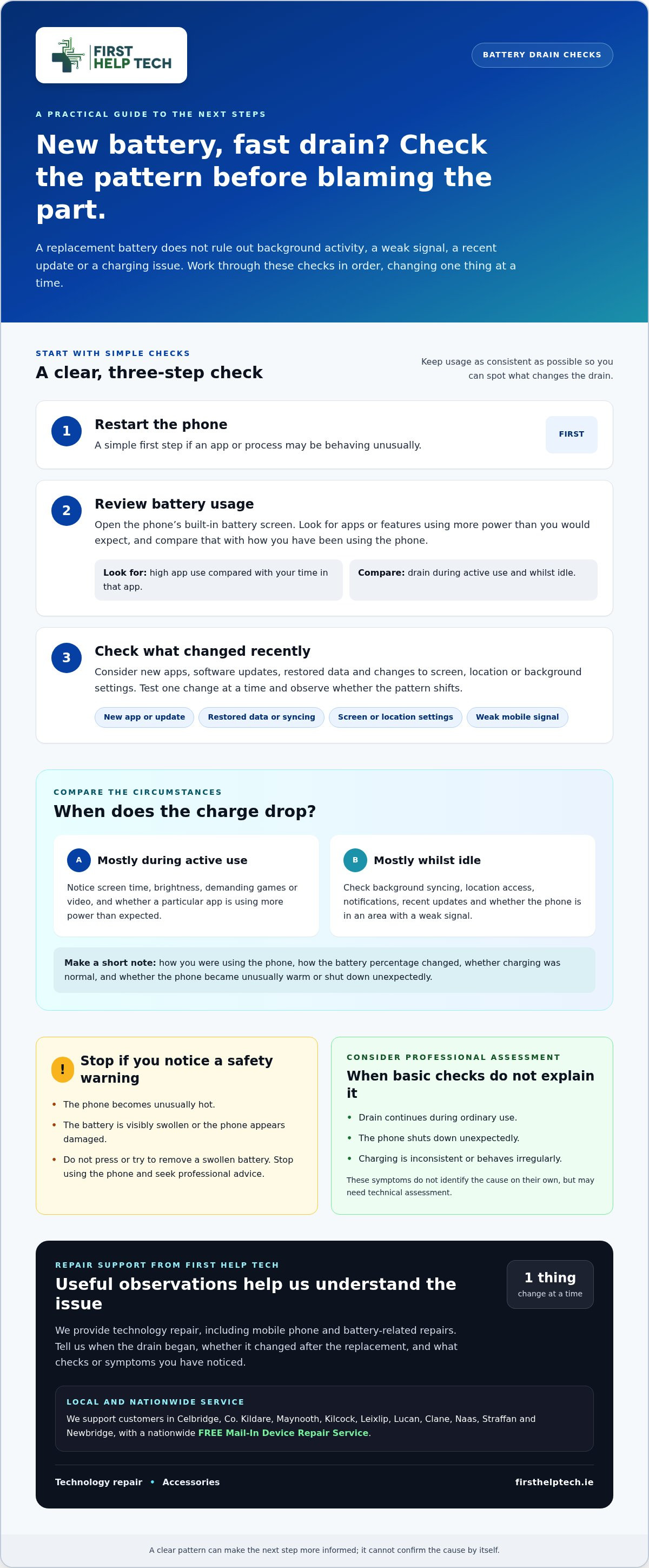
If your phone battery is draining fast after new battery installed, work through these checks in order. Keep your usage as consistent as possible while looking for a pattern. Change one thing at a time so you can tell whether it affects the drain.
- Restart the phone. This is a simple first step if an app or process may be behaving unusually.
- Review battery usage. Open the built-in battery screen and look for apps or features using more power than you’d expect. Compare the usage with what you were doing on the phone, rather than judging it without context.
- Check recent changes. Think about new apps, software updates, restored data or changes to screen and location settings. If you test a change, adjust one setting at a time and observe whether the pattern changes.
Which checks help separate settings issues from a repair problem?
Compare battery use during ordinary active use with what happens while the phone is idle. Check whether the drain coincides with a particular app, a recent update or time spent in an area with a weak signal. Note how the battery percentage changes and whether the phone was in use or on standby. These observations won’t prove the cause, but a clear pattern can make the next step more informed.
Keep a short record of what you notice: how you were using the phone, whether it was charging normally, and whether it became unusually warm or shut down unexpectedly. Don’t keep testing the phone if it becomes unusually hot, appears damaged or is visibly swollen. Stop using it and seek professional advice. Avoid pressing or trying to remove a swollen battery.
If these checks don’t explain ongoing drain, we can help with mobile phone repair. You can request a repair quote and describe the symptoms you’ve observed.
When continued battery drain needs professional phone repair
Ongoing drain that you can’t explain deserves attention. Consider professional assessment if your phone keeps losing charge during ordinary use, shuts down unexpectedly or has trouble charging consistently. These symptoms don’t identify the cause on their own, but they can indicate that the issue needs more than a settings check.
Our technology repair service includes mobile phone repairs and battery-related repairs. We also sell phone accessories, but if a new battery hasn’t resolved the drain, a repair assessment is the practical next step. We’ll consider the symptoms you describe rather than assuming the replacement battery is at fault.
How to arrange phone repair when the new battery has not helped
Tell us when the drain began and whether it changed after the battery was replaced. Include the checks you’ve tried and relevant details, such as charging problems, unusual warmth or unexpected shutdowns. This gives our repair team useful context. We provide mobile phone repairs to customers nationwide. Find details about our mobile phone repair service.
You don’t need to identify the fault before seeking help. A clear description of what you’ve noticed is a useful starting point.
Book a repair or request a quote for your phone.
Take the next step towards a reliable phone
If phone battery draining fast after new battery installed is still disrupting your day, you don’t need to work out the technical cause on your own. Notes on when the issue happens and what you’ve already tried give our repair team a useful starting point. We provide mobile phone and battery repairs, and are rated 4.9 / 5 on Google Reviews.
For a clear next step, book a phone repair or request a quote, and tell us what your phone has been doing.
Frequently Asked Questions
Is it normal for a phone battery to drain quickly after a replacement?
It can happen, and it doesn’t automatically mean the replacement battery is faulty. A phone battery draining fast after new battery installed may be affected by an update, background activity or heavy use, for example. However, don’t dismiss ongoing rapid drain or abrupt shutdowns as normal. Note whether the charge indicator drops steadily or changes suddenly, and share that detail if you arrange an assessment.
Does a new phone battery need to be calibrated?
There isn’t one calibration routine that suits every phone. Follow the manufacturer’s instructions for your specific model, and don’t repeatedly run the battery down to zero based on generic online advice. Calibration concerns the accuracy of the displayed charge; it doesn’t restore a battery’s physical condition. If the percentage jumps unexpectedly, note when it happens and seek advice.
Can apps drain a phone battery even after the battery has been replaced?
Yes. An app can continue using power in the background, syncing information or accessing location and network features. If one app appears unusually active, review its background activity and permissions, then consider whether it needs those settings. For example, a navigation app may use location even when you’re not following a route. If usage remains excessive, a software or device issue may also need attention.
What should I do if my phone gets unusually hot after a battery replacement?
Stop using and charging the phone if it becomes unusually hot, looks swollen or has visible damage. Don’t press, puncture or try to remove a swollen battery. Keep the device away from flammable materials and arrange professional help. Heat or swelling isn’t a settling behaviour to monitor through repeated tests. If you’re concerned about the device’s condition, prioritise safety and avoid handling it unnecessarily.