
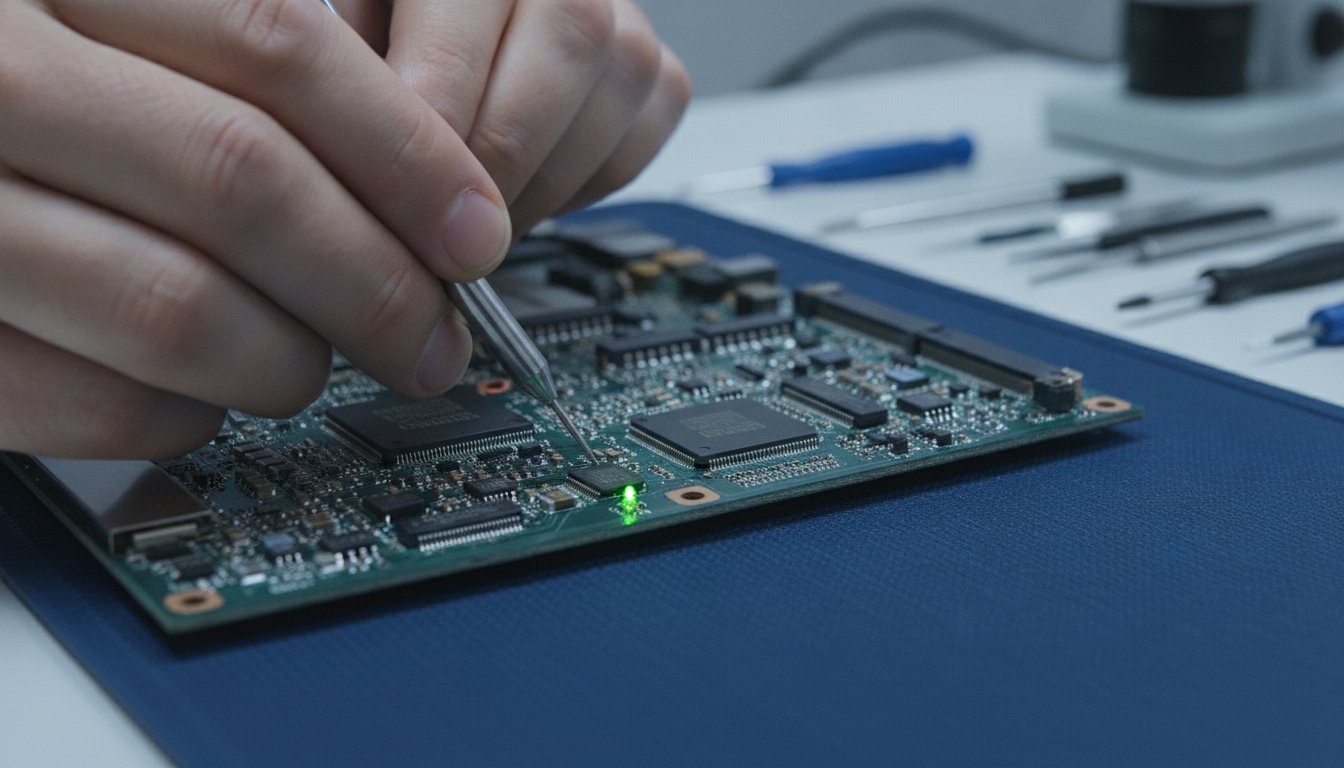
Imagine you have a deadline looming in an hour, but when you press the power button, nothing happens. That cold shiver of panic isn't just about the hardware; it's the fear of losing your family photos or that critical project you've spent weeks perfecting. We know exactly how frustrating a dead device feels, especially when your entire routine is suddenly halted. It's a massive disruption that often brings up worries about technical jargon and unexpected costs. This guide will help you understand the steps for a laptop not turning on repair by showing you what to check at home and when it's time to call in the experts.
The good news is that a blank screen doesn't always mean a destroyed device. We'll explain how to diagnose the fault and ensure your data stays safe while providing a fast turnaround for our neighbours in Celbridge, Maynooth, and Leixlip. Whether you're a student in Lucan or a business owner in Naas, we're here to provide clear answers and get you back online quickly. From local support to our nationwide FREE Mail-In Device Repair Service, we make technology repair simple and stress-free for everyone. Let's get your laptop back to work.
Key Takeaways
- Learn how to distinguish between a total power failure and a simple display issue to identify the root cause of the fault.
- Discover essential home checks for wall sockets and charging cables before booking a professional laptop not turning on repair.
- Understand how to decipher your device's LED blink patterns and beep sequences to diagnose battery or motherboard errors accurately.
- Identify critical warning signs, such as burning smells or smoke, that indicate it is time to stop DIY attempts and protect your data.
- Explore our expert technology repair options in Celbridge and our nationwide FREE Mail-In Device Repair Service for all major laptop brands.
Laptop Not Turning On? Immediate Triage for Your Device
When your laptop refuses to wake up, it's easy to assume the worst. Before you worry about data loss or the cost of a new machine, take a breath. We see this every day at our Celbridge centre. Usually, the issue is a specific power delivery failure rather than a destroyed motherboard. The first step in any laptop not turning on repair is simple triage. We need to identify exactly how the device is behaving whilst remaining calm. A panicked restart can sometimes do more harm than good, so let's look at the signs systematically.
Is it a Black Screen or No Power?
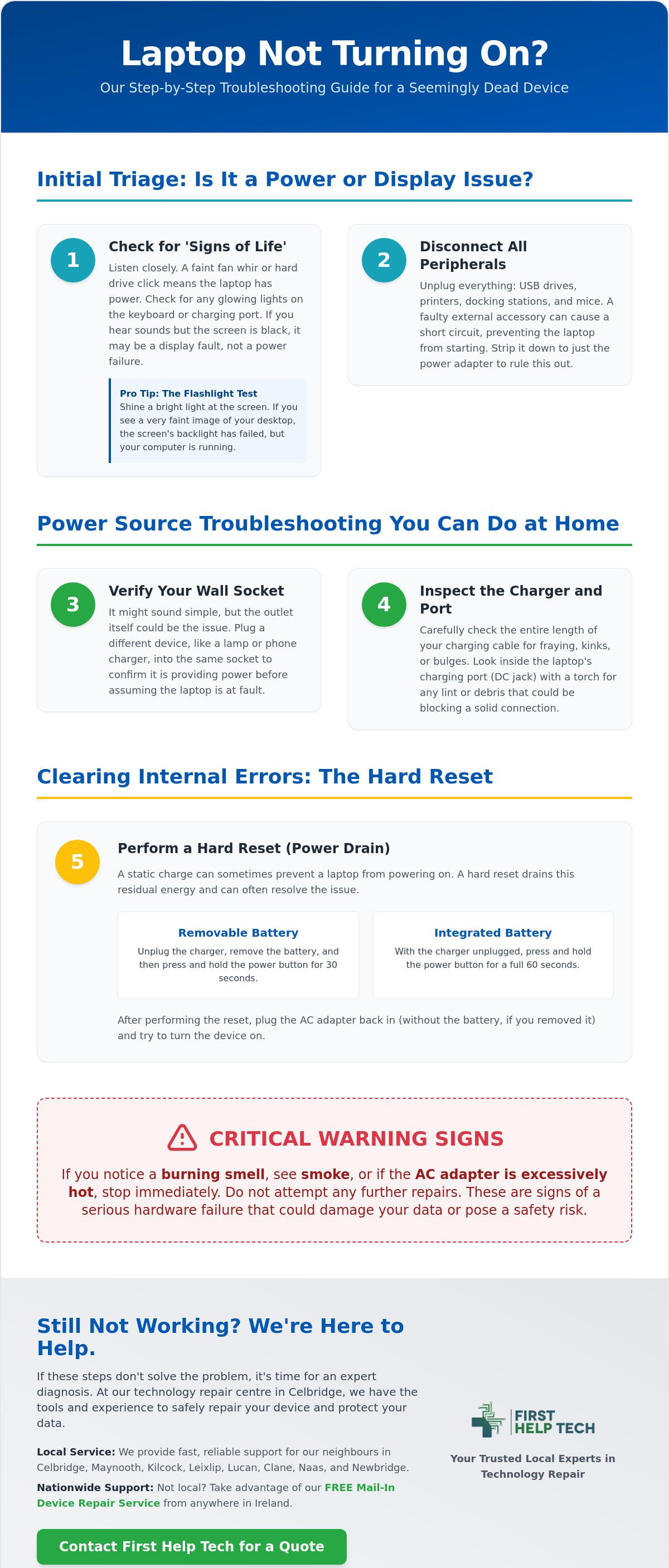
There's a big difference between a laptop that has no power and one that has a failed display. Listen closely to the chassis. Do you hear the faint whir of a fan or the clicking of a hard drive? Check for "signs of life" like a glowing charging light or a keyboard backlight. If you hear movement but the screen remains dark, try the "flashlight test". Shine a bright light directly onto the display at an angle. If you can see a faint image of your desktop, the screen's backlight has failed, but the laptop is actually running. This is a common display fault we handle frequently for our customers in Maynooth and Kilcock.
The Role of External Peripherals
Unplug everything immediately. USB drives, printers, and even your favourite mouse can cause a boot failure if they have a minor short circuit. External accessories can draw too much current or confuse the startup sequence. Docking stations are also frequent culprits as they complicate how power flows from the internal power supply unit logic to your components. Strip the device down to its bare essentials. Often, a laptop that seems "dead" will spring back to life once it isn't trying to power a faulty external accessory. If it still won't budge after clearing the ports, the problem likely lies with your power source or internal battery.
Step-by-Step Power Troubleshooting You Can Do at Home
Before you rush to book a laptop not turning on repair, we always recommend checking the simplest culprits first. It is surprisingly common for a loose plug or a tripped circuit to be the real villain. Start by testing your wall socket with another device, like a lamp or phone charger, to ensure the outlet is actually live. Once you're sure the wall is providing power, run your fingers along the length of your laptop's charging cable. Feel for any unusual bulges, sharp kinks, or exposed wires. Fraying is a major fire hazard and a frequent cause of power failure that often goes unnoticed until the battery completely dies.
Inspecting the AC Adapter and DC Jack
Take a close look at your charging brick. If it feels excessively hot to the touch or smells like burnt plastic, stop using it immediately. We also suggest checking the DC jack, which is the port where you plug the charger into your laptop. Use a torch to see if there is any lint or debris stuck inside; even a tiny bit of fluff can prevent a solid connection. Whilst you might be tempted to use a cheap "universal" charger from an untrusted source, be careful. Incorrect voltage can permanently damage your motherboard. If your charger seems faulty, you can get a quote for a replacement from our Celbridge store to ensure you get a safe, compatible match.
Performing a Hard Reset Safely
If the lights are off but the charger is fine, you might need to clear a "static charge" that is trapped in the internal circuits. This is one of the most effective troubleshooting steps for modern electronics. For laptops with a removable battery, pop it out and hold the power button for 30 seconds. If your device has an integrated battery, the process usually involves holding the power button for a full 60 seconds whilst the charger is unplugged. This drains residual energy and resets the frozen power controller. Once done, plug the AC adapter back in and try to boot without the battery if it is removable. If the laptop springs to life, you have identified a battery fault that needs professional attention.
Deciphering the 'Signs of Life': LED Codes and Beep Sequences
Your laptop isn't just sitting there being stubborn; it might be trying to tell you exactly what's wrong. When a device fails the Power-On Self-Test (POST), it often uses a sequence of blinks or beeps to signal the specific fault. Understanding these "signs of life" is a crucial step in any laptop not turning on repair process. Instead of guessing, we look for these specific patterns to pinpoint whether the issue is a simple memory hiccup or something more serious. It's the laptop's way of communicating when it can't use the screen.
Common LED Status Indicators
Most modern laptops have small indicator lights near the charging port or on the front edge. If you see a flashing amber or orange light, this usually points towards a battery that can't hold a charge or a power supply unit struggling to deliver current. A solid white light that stays on whilst the screen remains dark often suggests a display failure or a RAM (memory) issue. If you see no lights at all, even when the charger is plugged in, you're likely facing a total circuit failure or a dead motherboard. This is a common sight at our Celbridge centre, where we regularly diagnose power distribution faults for customers from Maynooth and Leixlip.
What Beep Codes are Telling You
Beep codes are the laptop's way of alerting you to hardware trouble. A single long beep followed by two short ones often indicates a graphics problem, whilst a repetitive short beep usually means your RAM isn't seated correctly or has failed. These sounds occur because the BIOS (the basic software that starts your computer) has detected a hardware mismatch. For our neighbours in Lucan and Straffan, we always recommend noting the exact sequence. Is it three short beeps or two long ones? Each manufacturer has a specific map for these codes. Identifying the pattern helps us provide a fast turnaround by knowing exactly which component needs attention before we even open the chassis.
Protecting Your Data and Knowing When to Call an Expert
The most stressful part of a dead device isn't the hardware itself; it's the potential loss of your files. Many people assume that a total power failure means their data has vanished into thin air. In reality, your hard drive or SSD is often perfectly healthy even when the motherboard refuses to spark. However, repeatedly attempting to force a boot can create dangerous power surges. This is why a professional laptop not turning on repair is often the safest route for your digital life. We can extract your critical documents and photos even if the machine never breathes again.
Data Integrity During Hardware Failure
We treat your data with the highest priority. Amateur internal repairs often lead to accidental "shorting" of the motherboard; this can jump to the storage drive and cause permanent loss. At our technology repair centre in Celbridge, we use isolated environments to ensure your files remain untouched whilst we diagnose the fault. Whether you are a student in Maynooth or a professional in Kilcock, we provide the peace of mind that your work is secure. We don't just fix the power; we protect your memories.
When DIY Becomes Dangerous
There are times when you must put the screwdriver down. If you notice a swollen battery casing, see sparks, or smell a distinct acrid scent, the situation has moved beyond a simple home fix. Modern ultrabooks are incredibly dense. They require specialised grounding equipment and precision tools to open without causing further damage. If your device is more than four years old, we often suggest the "50% rule" found in many 2026 industry guides. If the cost of the repair exceeds half the price of a new, comparable model, it might be time to upgrade. To get a clear picture of your options, book a professional diagnostic quote with us today. Our team serves the entire community from Lucan to Naas with fast, reliable results.
Professional Laptop Repair in Celbridge: The First Help Tech Advantage
When you're facing a critical hardware failure, you don't want to wait weeks for a solution. We provide fast, reliable laptop repair services right in the heart of Celbridge. Our team handles everything from broken screens to complex power circuit issues. If you need a laptop not turning on repair, our technicians have the expertise to work across all major brands. Whether you own an Apple MacBook, a Dell XPS, or a premium business laptop, we use high-quality replacement parts to ensure your device returns to peak performance. We keep a robust stock of components in our accessories store to minimise wait times for our Kildare neighbours.
Why Local Residents Trust Our Celbridge Centre
Since we opened our doors in 2016, we've built a reputation for dependability and technical precision. Residents in Maynooth, Leixlip, and Lucan appreciate that they can speak directly to the technician working on their device. There's no need to post your laptop away to a faceless warehouse when you have local experts nearby. We offer transparent pricing and a quick turnaround, often completing repairs within 24 to 48 hours if parts are in stock. Our support covers both hardware fixes, battery replacements, and deep software troubleshooting to get your digital life back on track.
For business owners, maintaining a reliable fleet of computers is essential for productivity. Beyond individual hardware fixes, many organisations benefit from the strategic managed IT support provided by HJS Technology Ltd, ensuring that their entire technology stack remains efficient and secure.
Book Your Repair or Get a Quote Today
Getting your technology repair started is simple. You can visit our Celbridge shop for a professional diagnostic check or use our online system for a fast estimate. For those living further away in Newbridge, Naas, or even nationwide, our FREE Mail-In Device Repair Service ensures you still get the First Help Tech standard of care. We prioritise your peace of mind by offering a clear understanding of the fault before any work begins. Every repair is backed by a warranty of 90 days to 12 months, ensuring your investment is protected. Don't let a dead battery or a faulty motherboard disrupt your week. Book your laptop repair online with First Help Tech and let us handle your laptop not turning on repair with the precision it deserves.
Restore Your Device and Protect Your Data
A laptop that won't start is a major hurdle, but it's rarely the end of the road for your hardware or your files. By following a systematic triage process, you can often rule out simple power failures or cable issues yourself. We've seen how understanding your device's "signs of life" through LED codes provides a clear path forward without the stress of technical jargon. When home fixes aren't enough, choosing a professional laptop not turning on repair ensures your motherboard and data are handled with precision and care.
Since 2016, we've provided trusted technology repair services to our community in Celbridge, Co. Kildare. We keep high-quality parts in stock to ensure a fast turnaround time for every customer, whether you're in Maynooth, Leixlip, or using our nationwide FREE Mail-In Device Repair Service. You don't have to navigate technical faults alone. Our team is ready to provide a clear diagnosis and a reliable solution to get you back to work quickly. Book Your Professional Laptop Repair in Celbridge Now. We're proactive and ready to help!
Frequently Asked Questions
How much does it cost to fix a laptop that won’t turn on?
The cost depends entirely on the specific fault, as a laptop not turning on repair could range from a simple charging port fix to a complex motherboard recovery. We require a quote request to provide an accurate estimate for your specific model. Visit our Celbridge shop or use our online system to get a precise price based on the diagnostic findings.
Will I lose my photos and files if my laptop won’t boot?
Your photos and files are usually perfectly safe because they are stored on a drive that is separate from the power circuitry. Even if the laptop seems completely dead, we can often extract your data directly from the internal storage. We prioritise data integrity during every technology repair to ensure your memories and work remain untouched.
Can a dead laptop battery prevent the computer from turning on even when plugged in?
How long does a typical laptop repair take at First Help Tech?
Most laptop repairs are completed within 24 to 48 hours. This fast turnaround is possible because we keep many common replacement parts in our accessories store. If a specialised component needs to be ordered, we'll notify you immediately and keep you updated throughout the process.
Is it worth repairing a 5-year-old laptop or should I buy a new one?
We recommend following the 50% rule: if the repair cost is more than half the price of a new, comparable model, it might be time to replace it. However, if the laptop is otherwise in good condition, a simple battery replacement or an SSD upgrade can often make an older machine feel brand new for a much lower cost.
What should I do if I spilled water on my laptop and now it won’t turn on?
Turn the device off immediately and unplug the power cable. Don't use a hairdryer or rice, as these can cause more damage or introduce debris into the chassis. Bring the device to our Celbridge centre for professional water damage diagnostics to stop corrosion before it destroys the motherboard.
Do you provide a warranty on laptop repairs in Celbridge?
We provide a warranty ranging from 90 days to 12 months on all our laptop repairs. This covers both the labour and the replacement parts we use during the fix. It's part of our commitment to being a reliable, community-focused business that our neighbours in Maynooth and Leixlip can trust.
Can you fix a laptop that has a black screen but the lights are on?
Yes, we fix this issue frequently. It usually points to a display failure, a RAM fault, or a BIOS error rather than a total power failure. We'll perform a quick diagnostic to determine if you need a screen replacement or a simple internal reset to get the picture back.