

If you’re searching for “stripped screw in laptop what to do Ireland”, start by resisting the urge to force it. A few careful checks may help you avoid scratching the casing or damaging something inside, especially if the screw won’t loosen or tighten.
We’ll explain what you can safely check, which warning signs mean you should stop, and when a professional assessment is the better next step. We provide laptop repairs throughout Ireland, and you can book a repair or request a quote online.
Key Takeaways
- For a stripped laptop screw, begin with simple checks and avoid actions that could cause further damage.
- Use a correctly fitting screwdriver gently. Avoid force, improvised adhesives, drilling and metal filings.
- Stop if the driver keeps slipping, the casing is damaged or resistance increases. A technician can assess the screw and nearby components.
- We provide laptop repairs throughout Ireland, with online booking and quote requests.
Stripped laptop screw: why it happens and what to check first
A screw is stripped when its head’s recess is damaged and the screwdriver can no longer grip it properly. A tight screw usually has an intact recess that holds the driver, even if it does not turn straight away. A stripped screw is more likely to let the driver slip. Knowing the difference matters: extra pressure on a damaged head can make removal harder.
Stripping can happen when a screwdriver does not fit the screw or is repeatedly turned while slipping. Before trying again, switch the laptop off, unplug it and look closely at the screw head. Check whether the recess still has clear edges and whether the screw sits straight in the casing. Don’t force the casing or probe around the screw.
How to tell whether the screw head is stripped
A rounded or chewed-looking recess is a warning sign. You may also find that a correctly aligned driver does not seat securely or slips out with light turning pressure. By contrast, a screw that is simply tight will generally still give the driver a firm hold.
If you’re considering a stripped screw in laptop what to do Ireland approach, begin with this visual check, not extra force. Stop if the driver slips repeatedly or the casing starts to flex. Continued pressure can mark or distort the casing and may put nearby components at risk. We provide laptop repairs across Ireland.
How to deal with a stripped screw in a laptop without increasing the damage
Keep the first attempt simple. Power the laptop down, unplug the charger and place the device on a stable, clear surface. Make sure the area is well lit so you can see the screw head clearly. If the driver is already slipping, don’t keep turning it. Each attempt can wear away more of the recess.
Which low-risk steps are worth trying at home?
Check the screw head and choose a screwdriver that fits it closely. The tip should sit firmly in the recess without wobbling. Keep the driver straight and apply gentle, steady pressure for one controlled attempt. If the screw does not move, stop rather than increasing force or switching to an improvised method.
- Avoid force: extra pressure can damage the screw head or put strain on the casing.
- Don’t use adhesives: glue or other improvised fixes can spread onto the laptop and nearby parts.
- Don’t drill: drilling risks damaging the casing or components and can leave metal filings inside the laptop.
For stripped screw in laptop what to do Ireland, the key is knowing when to stop. Pause if the screw remains stuck after that careful attempt, if you can see internal components or if the case flexes as you work. Don’t remove further parts unless you have the right tools, access and confidence to do so safely.
We can assess the screw and surrounding laptop as part of our laptop repair service. If you’d prefer a professional assessment, you can book a repair or request a quote online.
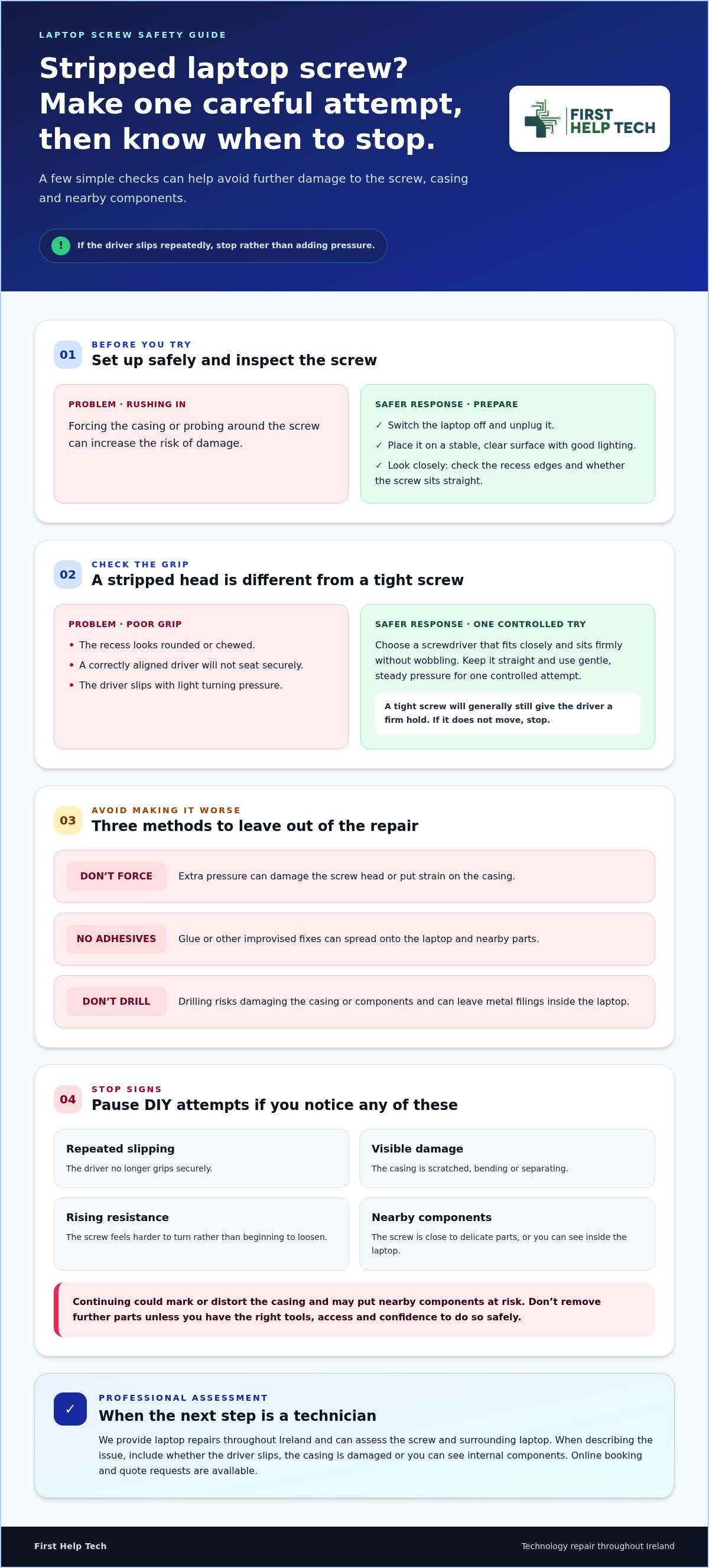
When to stop DIY attempts and arrange laptop screw repair in Ireland
Stop and arrange a professional assessment if the driver keeps slipping, the casing is visibly marked or flexing, or resistance increases as you turn the screw. Take particular care if the screw is close to delicate components or you can see inside the laptop. Continuing could turn a stubborn fastener into wider damage.
- Repeated slipping: the driver no longer grips securely.
- Visible damage: the casing is scratched, bending or separating.
- Rising resistance: the screw feels harder to turn rather than beginning to loosen.
- Nearby components: the screw is close to exposed or delicate parts.
If you’re unsure about stripped screw in laptop what to do Ireland, pause rather than trying force or improvised tools. We can assess the screw and surrounding laptop before attempting removal through our laptop repair service.
How to arrange laptop repair from anywhere in Ireland
We provide laptop repairs throughout Ireland. You can book online or request a quote and describe the stuck screw, including whether the screwdriver slips, the casing is damaged or you can see internal components. Sharing these details helps us understand the issue and provide repair guidance.
Ready to leave the stuck screw to a technician? Book a repair or request a quote online.
Protect your laptop and choose the right next step
A stripped screw doesn’t always need a forceful fix. Check whether the driver fits, make only one gentle attempt, and stop if it slips, resistance rises or the casing flexes. If you’re still unsure about stripped screw in laptop what to do Ireland, avoid drilling or improvised adhesives and leave the next step to a technician who can assess the screw and nearby components.
At First Help Tech, we provide laptop and technology repair throughout Ireland. You can book online or request a quote so we can help you decide on the next step for your device.
Ready to take the safer route? Book a repair or request a quote. We’re here to help you move forward with confidence.
Frequently Asked Questions
Can I remove a stripped screw from my laptop myself?
Possibly, if the damage is slight and you can work safely. Switch off and unplug the laptop, then check that the screwdriver fits the screw head and sits firmly in the recess. Try one gentle, controlled turn. If the driver slips, the casing flexes or you’re unsure about opening the laptop, stop and arrange a professional assessment.
What should I do if a laptop screw will not turn?
Stop applying pressure if the screw won’t move with a correctly fitted driver. Repeated attempts can damage the recess further, while force, glue or drilling may harm the casing or nearby components. For stripped screw in laptop what to do Ireland, the safer next step is to pause DIY if resistance rises and have the screw and surrounding area assessed.
Can a stripped laptop screw damage the laptop?
A stripped screw itself may not damage other parts, but trying to remove it with force can. The driver could slip and mark the casing, or drilling could send metal filings inside and put components at risk. Stop if you notice flexing, visible damage or exposed parts. We can assess the laptop before attempting removal.
How can I arrange laptop repair in Ireland if I cannot travel?
You can book a laptop repair or request a quote online. Describe the stuck screw and any signs of damage so we can assess the issue and provide repair guidance.