
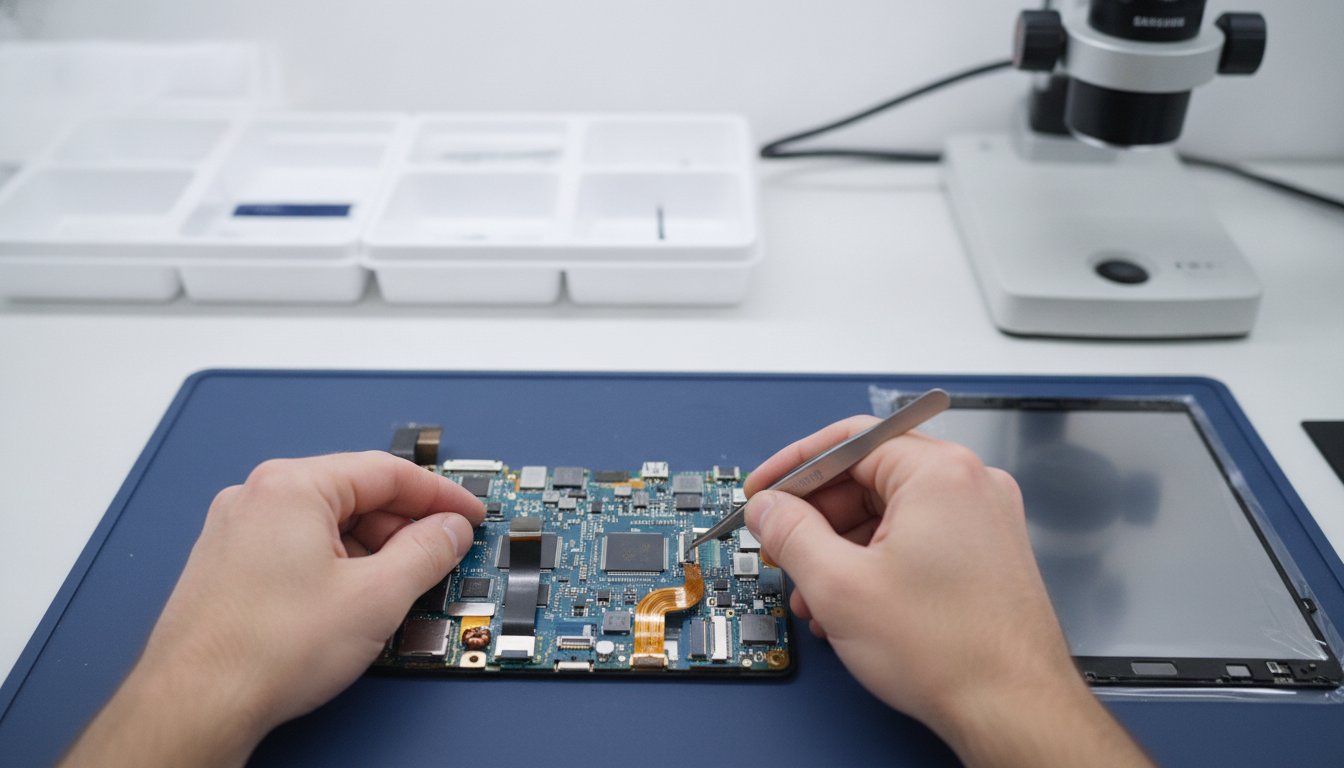
Your Samsung tablet shouldn't be destined for the drawer just because of a cracked screen or a failing battery. Most users assume finding the right samsung tablet parts is straightforward, but with material costs rising by 5% this year and complex model variations, choosing the wrong component can turn a simple fix into a permanent headache. We understand the confusion of distinguishing between a T290 and a T295 or the worry of fitting a low-quality third-party display that lacks original clarity.
At First Help Tech, we're here to give you total peace of mind. This 2026 buying guide will teach you how to identify, compare, and select the exact components required to restore your device to its peak performance standards. We'll explore the impact of new Right to Repair laws and how to verify part quality before you buy.
Whether you're visiting our centre in Celbridge or using our FREE Mail-In Device Repair Service from Naas, Maynooth, or Newbridge, we've got you covered. Expect a clear breakdown of model identification and quality testing to help our neighbours in Kilcock, Leixlip, Lucan, Clane, Straffan, and across Co. Kildare achieve a successful technology repair.
Key Takeaways
- Locate your technical model number in the "About Tablet" menu to avoid purchasing components that don't fit your specific device generation.
- Master the difference between LCD screen assemblies and touch digitizers to ensure you buy the correct samsung tablet parts for your specific crack or display issue.
- Recognise critical battery failure symptoms, such as swelling or rapid power drops, to determine when a replacement is essential for safety and performance.
- Evaluate the complexity of your repair and confirm you have the necessary precision tools before attempting a DIY screen or charging port replacement.
- Decide when to tackle a fix yourself or when to utilise our professional technology repair expertise via our nationwide FREE Mail-In Device Repair Service.
Identifying the Correct Samsung Tablet Parts for Your Model
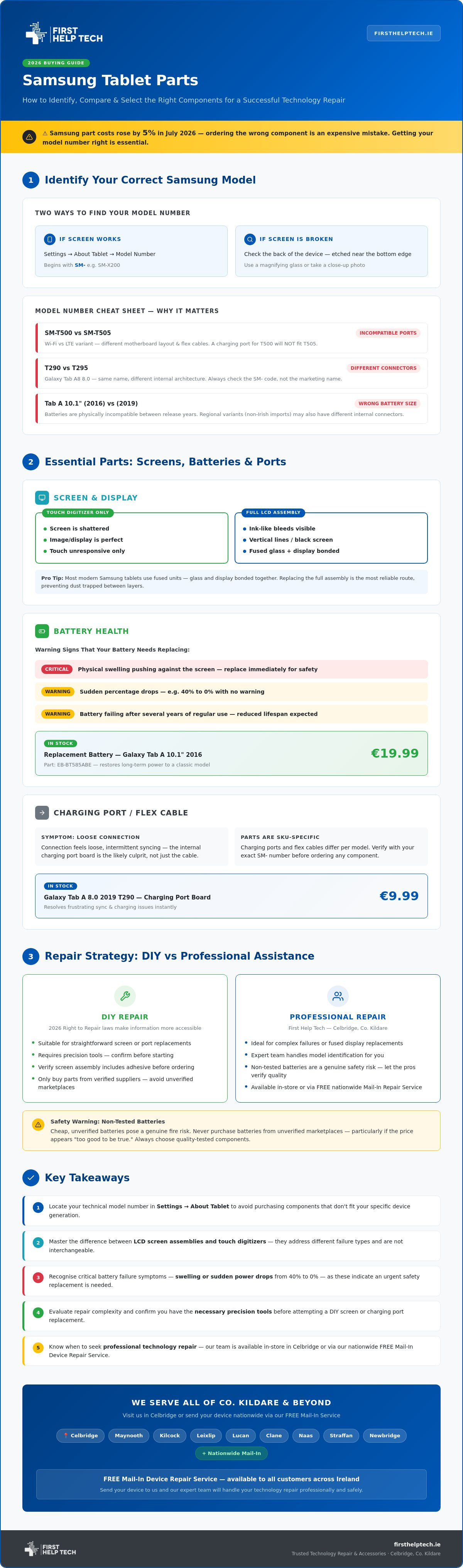
Identifying the right samsung tablet parts starts with looking past the marketing name. A "Galaxy Tab A8" sounds specific, but it doesn't tell us if you have the Wi-Fi version or the LTE variant. These internal differences change everything from the motherboard layout to the flex cables. If you order a part based solely on the name, you'll likely end up with a component that doesn't fit, wasting both time and money.
Finding your technical model number is the first step to a successful technology repair. If your device still powers on, navigate to "Settings," tap "About Tablet," and look for the model number. It usually begins with "SM-" followed by a string of letters and numbers, such as SM-X200. If your screen is unresponsive, flip the device over. Samsung etches the model number in tiny print on the back housing, usually near the bottom. You may need a magnifying glass or a quick photo with your phone to see it clearly.
We often assist customers from Lucan, Clane, and Straffan who have accidentally bought the wrong charging ports or flex cables. These components are SKU-specific. With the cost of Samsung parts rising by an average of 5% in July 2026, ordering the wrong part is an expensive mistake you'll want to avoid. A charging port for an SM-T500 won't work for an SM-T505 because the internal architecture differs. Getting this right is vital for restoring your device's original performance. If you're feeling overwhelmed, our team in Celbridge can guide you, or you can use our FREE Mail-In Device Repair Service from anywhere in Co. Kildare, including Naas and Newbridge.
Samsung Model Number Cheat Sheet
Regional variants are a major factor in part selection. A tablet purchased abroad may have different internal connectors compared to those sold in Ireland. Similarly, the release year changes the hardware significantly; for example, a battery for a Galaxy Tab A 10.1 (2016) is physically incompatible with the 2019 version. The SM- prefix is the most reliable way to identify your hardware.
Comparing Essential Parts: Screens, Batteries, and Ports
Choosing the right samsung tablet parts requires understanding the specific nature of your hardware failure. If your screen is shattered but the image is perfect, you might only need a touch digitizer. However, if you see ink-like bleeds, vertical lines, or a completely black display, you'll require a full LCD screen assembly. Most modern Samsung tablets use fused units where the glass and display are bonded together. Replacing the entire assembly is often the most reliable route for a successful technology repair, ensuring you don't end up with dust trapped between layers.
Power issues are equally nuanced and often misunderstood. A tablet that won't charge might have a faulty cable, but if the connection feels loose or syncs intermittently, the internal charging port board is usually the culprit. We also see many batteries that have reached the end of their lifecycle after several years of use. Look for physical swelling that pushes against the screen or sudden percentage drops from 40% to zero. These are clear signs that a new component is needed to restore your device's safety and longevity.
Standout Samsung Parts in Our Collection
- Replacement Battery For Samsung Galaxy Tab A 10.1" 2016 - EB-BT585ABE: Available for €19.99, this is a favourite for restoring long-term power to a classic model.
- Galaxy Tab A 8.0 2019 T290 Charging Port Board: At just €9.99, this affordable fix resolves frustrating sync and charging issues instantly.
- Specialised LCD Screens and Touch Panels: We stock a wide range of displays designed to meet strict Samsung performance standards for clarity and touch response.
If you are also maintaining other portable hardware, you can explore Laptop LCD Replacement Panels to find compatible display solutions for your devices.
Common Pitfalls When Buying Spare Parts
Don't be tempted by "too good to be true" prices on unverified marketplaces. Non-tested batteries pose a genuine safety risk to your home in Leixlip, Maynooth, or Kilcock. Always verify if your screen assembly includes the necessary adhesive; without it, you'll be stuck halfway through your project. If you're hesitant about the process, you can book a professional tablet repair with our expert team and let us handle the technical details for you.
Repair Strategies: DIY vs Professional Assistance
Deciding to fix your own device is a big step. With the 2026 Right to Repair laws making information more accessible, many people across Co. Kildare are tackling their own technology repair projects. However, you must assess the difficulty before you begin. A battery replacement is generally straightforward, but a screen replacement on a modern Galaxy Tab requires patience, a steady hand, and specific tools such as heat guns, spudgers, and precision screwdrivers to avoid damaging the internal architecture.
This focus on sustainability extends beyond mobile devices to essential household appliances; for those interested in high-quality white goods maintenance, you can learn more about expert repair services.
Sourcing your samsung tablet parts and accessories from a local Irish supplier like us ensures you aren't waiting weeks for international shipping. We stock our components right here in Ireland for fast national dispatch, so you can get your device back to peak performance without the long wait times or customs fees associated with overseas orders. This is the fastest way for our neighbours in Naas, Newbridge, and Maynooth to get their tablets back in working order.
Our FREE Mail-In Device Repair Service
Sometimes, a DIY project doesn't go as planned. If you find yourself stuck or worried about damaging a delicate flex cable, we're ready to step in. Our FREE Mail-In Device Repair Service is available nationwide, allowing you to send your tablet to our experts from Lucan, Clane, or Straffan with total confidence. We utilise our extensive tablet repairs expertise and on-site stock to provide a quick turnaround. You can also check out our mobile phone repair Celbridge pillar to see the high technical standards we maintain for every job we handle.
Restoring Your Device with Confidence
We only provide parts tested for Samsung quality standards, giving you the peace of mind that your repair will last. Before you close up the housing, run a final checklist: check the touch response, verify the charging speed, and ensure the cameras are clear of dust. If you're based in Kilcock or Leixlip and prefer a professional touch, our team is always here to help. Ready to start your repair? Browse our full range of Samsung Tablet Parts here and restore your device today.
Get Your Samsung Tablet Back to Peak Performance
Your journey to a fully functional device starts with precision. By matching your SM- model number and choosing components tested for performance, you ensure your tablet remains a reliable tool for years to come. Whether you're tackling a screen replacement at home or need our expert hands to resolve a complex charging issue, the right samsung tablet parts make all the difference to your device's longevity.
As an Irish-owned business established in 2016, we pride ourselves on supporting our local community in Celbridge, Maynooth, and across Co. Kildare. For those in Kilcock, Leixlip, or Lucan who want guaranteed results without the DIY stress, our team is ready to help. If you're further afield in Naas, Clane, Straffan, or Newbridge, our FREE Mail-In Device Repair Service ensures professional care is just a postbox away. Every component we use is tested for Samsung quality, giving you total peace of mind!
Ready to get started? Book your technology repair or get a quote today to restore your device with confidence. We're here to help you get back online quickly!
Frequently Asked Questions
How do I find the model number of my Samsung tablet if the screen is broken?
You can find the model number etched in tiny print on the back of your tablet housing, usually near the bottom edge. If the etching is too faint to read, check your original packaging or purchase invoice for the SM- prefix. Knowing this specific number is the only way to ensure the samsung tablet parts you order will fit your internal motherboard and flex cable layout perfectly.
Is it difficult to replace a Samsung Galaxy Tab battery myself?
Replacing a Samsung Galaxy Tab battery is a moderate DIY task that depends on your specific model. Most tablets require a heat gun or hair dryer to soften the internal adhesive before you can safely pry the battery out with a plastic spudger. If you don't feel comfortable handling delicate internals, we provide expert technology repair via our FREE Mail-In Device Repair Service for residents across Co. Kildare.
What is the difference between a Samsung digitizer and an LCD screen?
The digitizer is the glass surface that registers your touch, whereas the LCD is the internal panel that produces the visual image. If your tablet has a cracked screen but still displays a clear picture, only the digitizer is broken. However, because many modern screens are fused together, we often recommend replacing the entire assembly to maintain the original clarity and touch sensitivity of your device.
How long does shipping take for Samsung tablet parts in Ireland?
Delivery for our samsung tablet parts usually takes 1 to 2 working days across Ireland. Because we're an Irish-owned business based in Celbridge, we avoid the long delays and customs fees associated with ordering from overseas. Whether you're in Kilcock, Leixlip, or Clane, our fast dispatch ensures you can start your repair without waiting weeks for essential components to arrive.