
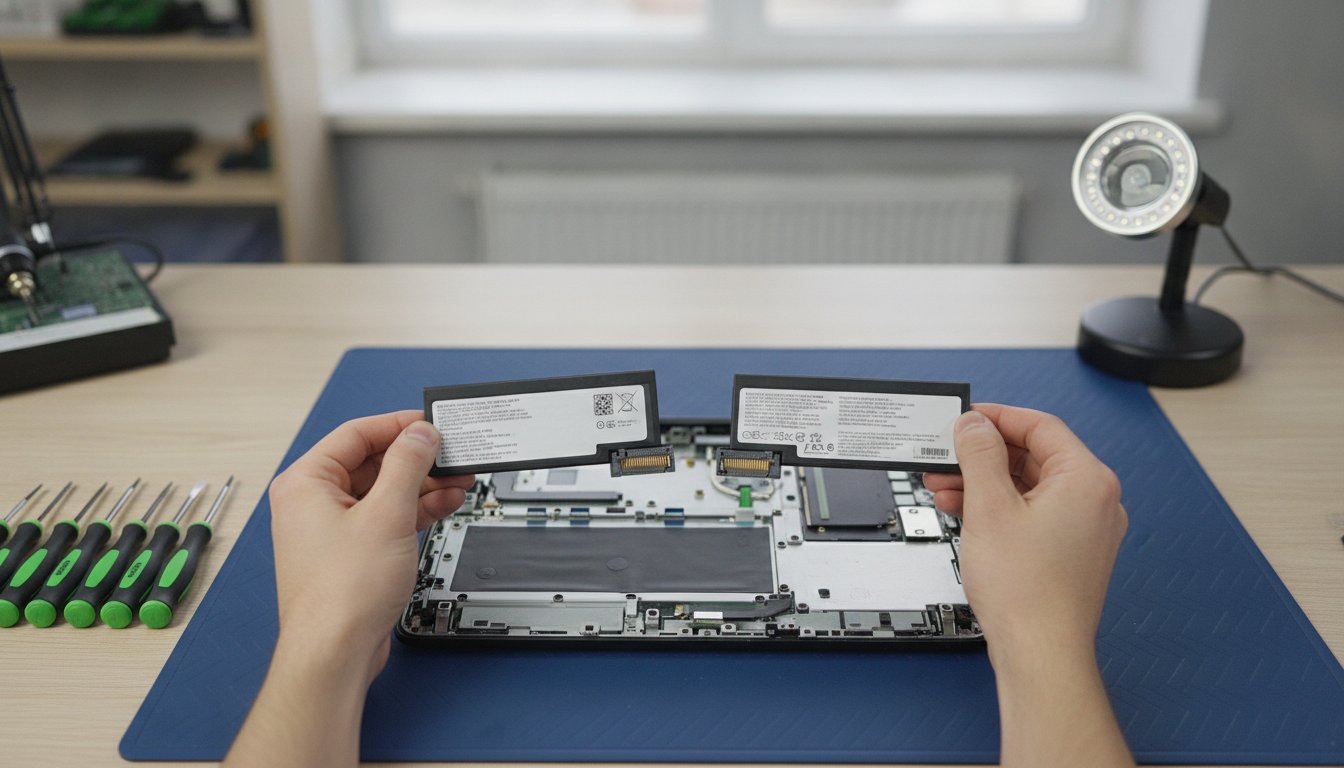
You have finally opened your laptop, screwdriver in hand, only to realise the "compatible" battery you ordered from overseas has the wrong pin count and a questionable label. It is a stressful moment that many of our neighbours in Celbridge and Maynooth have faced before reaching out to us. We understand that sourcing laptop replacement parts feels like a technical minefield of voltages and counterfeit risks. You need your device back at peak performance without the anxiety of buying a part that simply doesn't fit or work as promised.
In this 2026 guide, we will help you master the art of identifying, sourcing, and installing the exact components your machine requires. Whether you are based in Kilcock, Leixlip, or Lucan, our goal is to provide total peace of mind. We will explain how to match hardware IDs perfectly, when to opt for a professional fix via our FREE Mail-In Device Repair Service, and how we support local communities from Clane and Naas to Straffan and Newbridge with reliable, Irish-stocked spares. Let's ensure your repair is a success the first time around.
Key Takeaways
- Learn why a generic model name is never enough and how to identify exact hardware IDs for a perfect fit.
- Master the art of sourcing genuine laptop replacement parts to avoid the dangers of poor-quality counterfeit batteries and flickering screens.
- Compare screen finishes and battery specifications to restore your device to its original performance levels.
- Decide when to tackle a repair yourself or utilise our FREE Mail-In Device Repair Service for professional results anywhere in Ireland.
- Access expert insights tailored for our local communities in Celbridge, Maynooth, and Naas to ensure your technology repair is a success.
Identifying the Correct Laptop Replacement Parts for Your Device
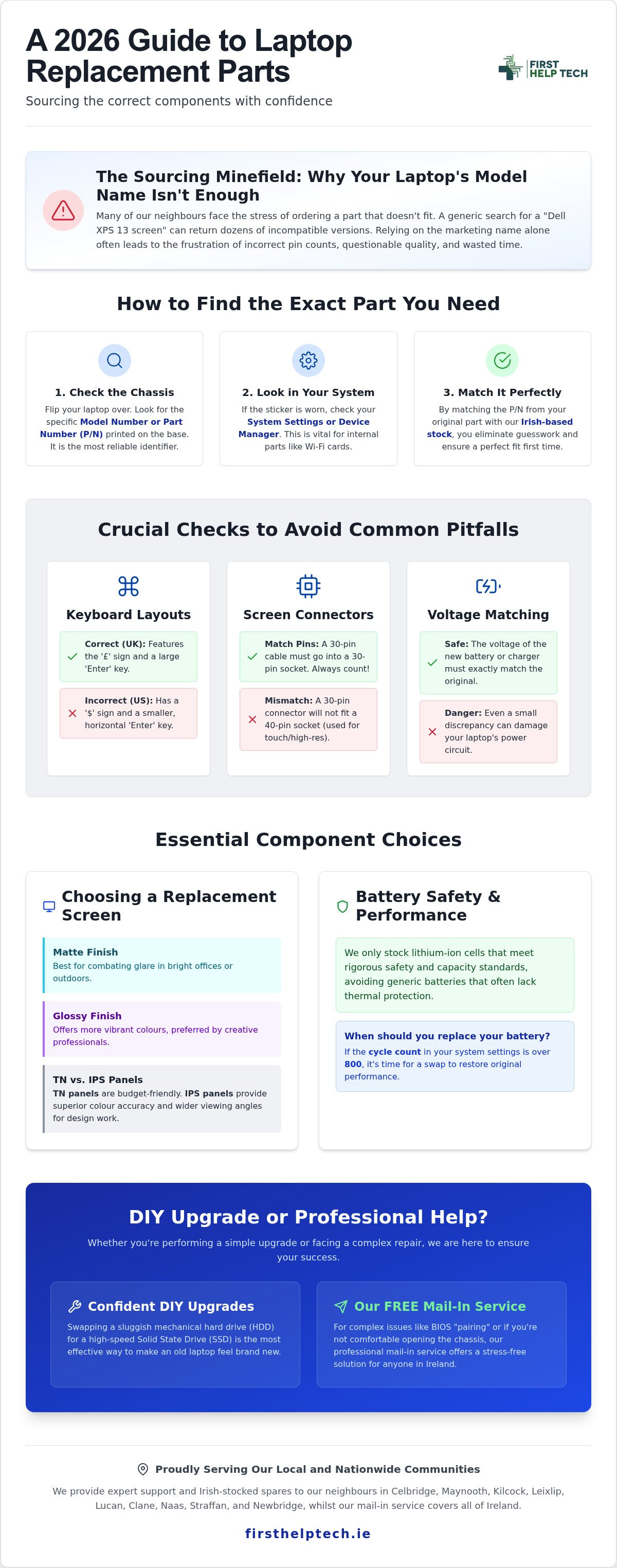
Finding the right laptop replacement parts involves more than just knowing your brand name. If you search for a "Dell XPS 13 screen," you might find dozens of variations that look identical but won't fit your specific machine. Manufacturers often release multiple iterations of the same model name over several years, each with different internal configurations. Relying on the marketing name alone is a common mistake that leads to the frustration of returns and delays.
To get it right, flip your laptop over. We always recommend looking for the specific Model Number or Part Number (P/N) printed on the base of the chassis. It is usually a small string of alphanumeric characters. If the sticker has worn away, you can find this information in your system settings or by checking the Device Manager. This digital check is vital for internal components like Wi-Fi cards, as it reveals the specific hardware ID and prevents you from buying a part that your motherboard simply won't recognise.
Avoid these common pitfalls before you click buy:
- Keyboard Layouts: Ensure you select a UK layout, featuring the £ sign and the larger Enter key, rather than the US version.
- Screen Connectors: A 30-pin connector will not fit a 40-pin socket. Always count the pins on your original cable or match the exact screen part number.
- Voltage Matching: For batteries and chargers, even a small discrepancy in voltage can damage your laptop's power circuit.
Decoding Part Numbers and Compatibility
Manufacturers like HP or Lenovo often use three different suppliers for the same component in a single production run. This means two identical laptops bought in Naas and Newbridge might have different internal connectors. By matching the P/N from your original part with our Irish-based stock, you eliminate the guesswork. We've organised our inventory to make this matching process simple for our customers in Celbridge and Maynooth, ensuring you get a compatible part the first time.
The Role of BIOS and Software in Part Recognition
Modern technology repair is becoming increasingly complex. Some 2026 models use software "pairing," where the BIOS must recognise the serial number of a new battery or screen to function correctly. If your laptop rejects a new part, it might need a firmware update or digital calibration. Our professional laptop repairs handle these complex software handshakes for you. If the technical side feels overwhelming, our FREE Mail-In Device Repair Service is available to everyone from Kilcock to Lucan and Straffan, ensuring your device is restored without the DIY stress.
Essential Components: Screens, Batteries, and Keyboards
Selecting the right laptop replacement parts requires a balance between performance and practicality. If you're working in a bright office in Naas or outdoors in Straffan, a matte screen is your best friend to combat glare. Glossy screens offer the vibrant colours creative professionals in Maynooth often prefer. We also see many users in Kilcock and Lucan struggling with sticky keys; replacing a single keycap is sometimes a quick fix, but a full top assembly replacement is often the best way to restore that crisp, tactile feel.
Revitalising an older machine doesn't always require a new motherboard. Swapping a sluggish mechanical hard drive for a high-speed SSD is the most effective way to make an old laptop feel brand new. It's a popular request from our customers in Celbridge and Leixlip who want to extend their device's life without the cost of a new purchase. If you don't feel comfortable opening the chassis, our FREE Mail-In Device Repair Service is a stress-free way to get these upgrades done professionally anywhere in Ireland.
Choosing the Right Replacement Screen
When browsing screens, you'll encounter TN and IPS panels. TN panels are budget-friendly, whilst IPS panels provide the superior colour accuracy and wider viewing angles required for design work. Before ordering, verify your video cable connector. A 30-pin connector is standard for basic HD screens, but 40-pin connectors are usually necessary for high-resolution or touch-enabled displays. Matching these specs ensures your new panel works perfectly with your existing graphics hardware.
Battery Performance and Longevity
Safety is our absolute priority. We only stock lithium-ion cells that meet rigorous safety and capacity standards. We avoid the "too good to be true" generic batteries found on global marketplaces because they often lack proper thermal protection. Before you buy, check your current cycle count in your system settings; if it's over 800 cycles, it's time for a swap. To keep your new battery healthy, avoid letting it drop to 0% frequently. If you're a Mac user, check our guide to buying Apple spare parts in Ireland for specific MacBook battery advice.
If you're unsure about handling delicate ribbon cables or internal connectors, you can get a professional repair quote from our expert team.
Sourcing Quality Parts and Professional Installation
Buying laptop replacement parts from massive global marketplaces often feels like a bargain until the component actually arrives. Many customers in Celbridge and Naas have shared stories of "OEM" parts that turned out to be poor-quality counterfeits with zero warranty support. In the Irish market, you will often encounter terms like "Grade A" or "OEM-quality," which can be confusing. Grade A typically refers to high-quality third-party parts that meet original specifications, whilst OEM (Original Equipment Manufacturer) parts come from the same factories as your laptop's brand. We ensure every part we stock is tested to these exact standards before it ever reaches your door.
Sourcing locally from our base in Co. Kildare means you avoid the long shipping delays and hidden customs fees of ordering from overseas. Whether you are in Maynooth, Newbridge, or Lucan, having a supplier that understands the local community is a massive advantage. It ensures faster delivery and a straightforward returns process if a part isn't quite right. We take pride in being a trusted local expert, providing the same reliability to our neighbours in Kilcock and Leixlip as we do to our national customers through our FREE Mail-In Device Repair Service.
DIY vs. Professional Repair: Making the Choice
Before you pick up a screwdriver, run through this quick checklist to see if a home repair is right for you:
- Do you have the specific precision tools required for modern, slimline chassis?
- Is the component modular, or is it soldered directly to the motherboard?
- Are you comfortable handling delicate ribbon cables that can snap with the slightest pressure?
If a repair feels too risky, it usually is. Our computer and PC repair services handle complex issues like motherboard faults or water damage that require specialized equipment. For those in Clane or Straffan who prefer an expert touch, our FREE Mail-In Device Repair Service provides a professional, stress-free alternative to DIY frustration.
Extending the Life of All Your Electronics
We apply these same rigorous quality standards to everything we do, including our console replacement parts. Sourcing quality components is the only way to ensure a long-lasting fix for any device. Whether you need a crisp new screen for a laptop or a responsive joystick for a controller, we help you keep your technology out of the landfill and in peak working order. Trusting a local expert ensures your repairs are durable, safe, and cost-effective.
Get Your Device Back to Peak Performance Today
Restoring your laptop doesn't have to be a technical headache. By matching exact part numbers and choosing components that meet rigorous quality standards, you can avoid the common pitfalls of incompatible or counterfeit hardware. Whether you are upgrading to a high-speed SSD or replacing a fading battery, sourcing the right laptop replacement parts from a trusted local supplier is the key to a successful technology repair. We have been Irish-owned and operated since 2016, ensuring that residents from Celbridge, Maynooth, and Clane to Naas, Straffan, and Newbridge have access to dependable spares without the wait.
If you don't feel comfortable handling delicate internal connectors, let us take the weight off your shoulders. Our FREE National Mail-In Repair Service is designed for your convenience, providing expert installation for those in Kilcock, Leixlip, Lucan, and beyond. We test all our parts to ensure they perform exactly as they should, giving you total peace of mind. Ready to fix your device? Book a repair or get a quote today and let our team of experts handle the rest. Your laptop is in safe hands!
Frequently Asked Questions
How do I find the exact model number of my laptop for part matching?
You can find your exact model number on the sticker attached to the base of your chassis or by typing "System Information" into your Windows search bar. This provides the specific alphanumeric code needed to match laptop replacement parts perfectly. Don't rely on the brand name alone; the model number ensures you get the right internal configuration for your specific build. If the sticker is worn away, checking the BIOS screen during startup will also reveal the correct identification details.
Is it safe to use a third-party laptop battery from an Irish supplier?
It is perfectly safe to use third-party batteries as long as they are sourced from a reputable Irish supplier that tests for safety and capacity. We only stock lithium-ion cells that meet strict safety standards, providing a reliable alternative to expensive manufacturer-branded cells. These Grade A components maintain the same performance levels for our customers in Naas and Newbridge whilst offering significantly better value than buying direct from a major corporation.
Can I replace a laptop keyboard myself, or do I need a professional?
Whether you can replace a keyboard yourself depends entirely on your laptop's design and your comfort with delicate hardware. Some models feature modular keyboards that pop out with a few screws, whilst others are riveted into the top assembly and require a full teardown. If you're based in Lucan or Leixlip and feel unsure about handling fragile ribbon cables, our expert team can handle the installation for you to ensure a perfect result.
How long does the FREE Mail-In Device Repair Service take to complete?
Our FREE Mail-In Device Repair Service typically takes between three to five working days from the moment you post your device. We maintain a large stock of parts in Ireland to ensure a fast turnaround for every technology repair. This service is a popular, stress-free choice for residents in Kilcock and Straffan who want a professional fix without the need to travel to a physical shop.
What should I do if the replacement screen I bought has a different connector?
If your replacement screen has a different connector, do not attempt to force the connection as this can cause permanent damage. This mismatch usually indicates a difference between a 30-pin and 40-pin socket or a variation in the screen's refresh rate and resolution support. You will need to exchange the component for one that matches your original hardware ID to avoid shorting out your laptop's video cable or motherboard.
Do you offer warranties on laptop replacement parts bought online?
Yes, we provide a comprehensive warranty on all laptop replacement parts purchased through our online store. This covers manufacturing defects and ensures peace of mind for our customers across Clane and the rest of Ireland. We stand by the quality of our tested components and offer straightforward, local support should any issues arise, ensuring you aren't left stranded by an anonymous global marketplace.