
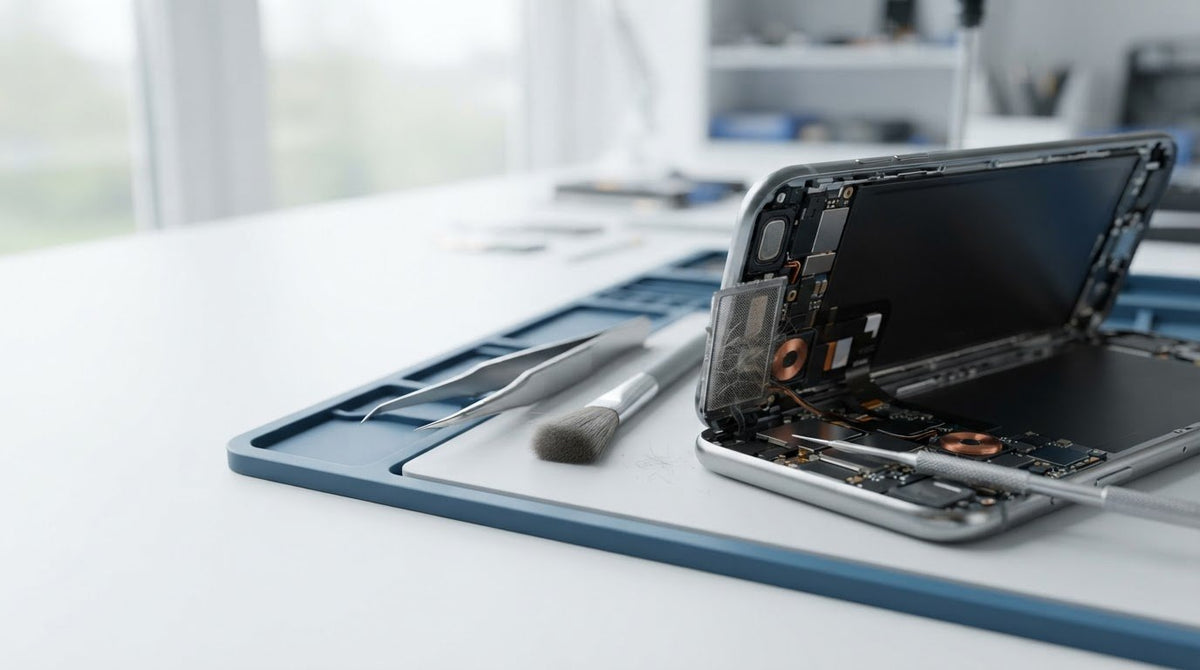
A distorted speaker after a repair doesn’t automatically mean the speaker needs replacing. If your phone speaker sounds distorted after repair, debris over the grille, an audio setting or a connection affected during the repair could be responsible. Restarting the phone takes around 1-2 minutes and can help rule out a temporary software issue.
Crackling or muffled audio is frustrating, especially when your phone sounded fine beforehand. A few careful checks can help you narrow down the cause before you decide what to do next. We’ll explain how to inspect the speaker grille, test sound using different audio sources and spot signs that the issue may need professional attention. Start with the simple checks, and avoid poking or pushing anything into the grille.
Key Takeaways
- Compare the sound across calls, recordings and media to help narrow down whether the fault affects one audio source or the speaker more broadly.
- Inspect the grille gently and use a suitable cleaning method; avoid pushing debris further inside.
- Notice whether crackling changes with volume or occurs consistently, as these patterns can help distinguish possible causes.
- If careful checks don’t resolve the problem, a phone speaker repair can help address faults that need hands-on diagnosis.
Common causes of speaker distortion
- Compare the sound before assuming the speaker has failed. If your phone speaker sounds distorted after repair, first note whether it crackles during calls, music, recordings or every sound. A problem limited to one app can point to its audio settings or file. Distortion across different sources may suggest a blocked grille, a displaced speaker seal or a connection disturbed during repair.
- Ask for an assessment if distortion began after the repair. In Ireland, explain when the fault started and what sounds are affected. Whether the repair shop should correct it depends on whether the fault is connected to its work and the agreed service. A loose connector or adhesive near the speaker may need inspection rather than repeated volume adjustments.
- Keep the handset closed and clean only the exterior. Opening a phone can affect its warranty or water resistance, especially if internal seals are disturbed. The effect depends on the warranty terms and the work performed. Avoid inserting tools, applying liquid or pressing hard on the grille. Those actions can push debris further in or damage delicate speaker mesh.
- Stop testing if the phone shows other warning signs. Distorted audio alone may not prevent ordinary use, but lower the volume and avoid prolonged playback while checking it. If the handset becomes unusually hot, smells burnt, swells or behaves erratically, stop using it and power it down. Gradual speaker deterioration is also worth investigating on phones over 3 years old, particularly if distortion persists across calls and media.
Dust and debris in speaker grilles
- Inspect the grille under good light. Check for lint, dust or a case edge covering the speaker openings. Compare the grille with the phone’s other openings, but don’t assume every hole is a speaker. A blockage can muffle sound or make playback seem uneven.
- Remove the case before cleaning. A misaligned case can partly cover the grille, especially after it has been refitted. Play a short audio sample with the case off, then compare the sound. If it improves, check the case position instead of probing the speaker.
- Brush away loose surface dust gently. Use a clean, soft brush and light strokes across the grille. Keep the phone’s openings facing down so loosened particles can fall away. Don’t use pins, needles or sharp tools; they can damage the mesh or push debris deeper.
- Use compressed air carefully if dust remains. Hold the can about 15 centimetres from the grille and use short bursts. Keep the nozzle at a distance, and stop if debris appears to move further inside. Avoid prolonged blasts or pressing the nozzle against the phone.
- Treat stubborn grime cautiously. Isopropyl alcohol at 70% concentration or higher can help clean debris around the grille. Apply it sparingly to a cloth, not directly into the opening, and keep liquid away from the speaker. If distortion remains after cleaning, a speaker repair assessment can help identify a fault that surface cleaning won’t fix.
Testing speaker sound and diagnostics
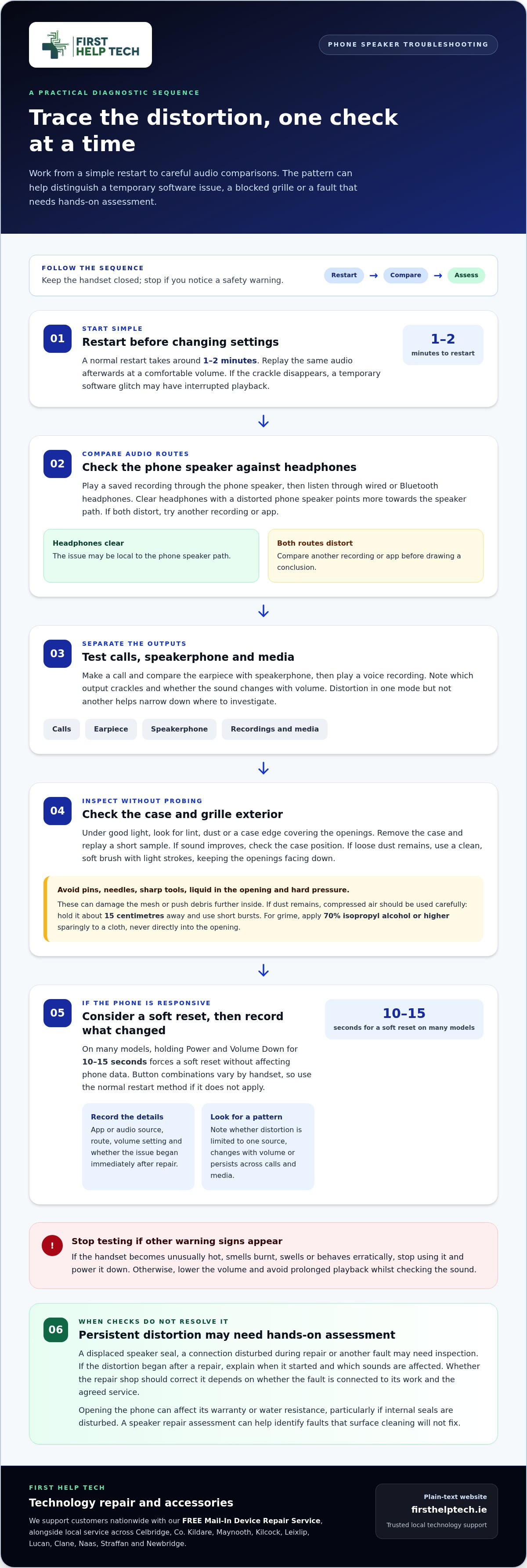
- Restart the phone before changing settings. A normal restart takes around 1-2 minutes. Play the same audio afterwards, at a comfortable volume. If the crackle disappears, a temporary software glitch may have interrupted playback rather than damaged the speaker.
- Compare built-in audio with a separate route. Play a saved recording through the phone speaker, then listen through wired or Bluetooth headphones. If headphones sound clear but the speaker distorts, the fault is more likely local to the speaker path. If both distort, test another recording or app.
- Check call audio separately from media. Make a call and compare the earpiece with speakerphone, then play a voice recording. Distortion in one output but not another helps narrow the fault. Note which mode crackles, and whether it changes with volume.
- Try a soft reset if the phone remains responsive. On many models, holding Power and Volume Down for 10-15 seconds forces a soft reset without affecting phone data. Button combinations vary by handset, so use the device’s normal restart method if this combination doesn’t apply.
- Record what happens after testing. Note the app, audio route, volume setting and whether the issue began immediately after repair. These details give a technician a clearer starting point than “the sound is bad”. If distortion persists, request a phone repair quote for further diagnosis.
First Help Tech: Mobile Phone Repairs
First Help Tech is a trusted specialist providing mobile phone repairs, including camera and speaker repairs, when distortion continues after careful cleaning and audio tests. We support customers nationwide with expert diagnostics. Share when the problem began and which audio tests you tried.
We also offer technology repair, accessories and our FREE Mail-In Device Repair Service for customers across Ireland. If the speaker still crackles or sounds muffled, contact First Help Tech to discuss a repair.
Take the next step towards clear sound
If your phone speaker sounds distorted after repair, describe exactly when it happens. Note whether calls, recordings or media are affected, and whether restarting or cleaning the grille changed anything. These details help focus the assessment.
At First Help Tech, we provide mobile phone, tablet and computer / PC repairs. If the sound remains unclear, contact First Help Tech for support and share what you’ve observed. A considered diagnosis can point towards the next practical step, so you can move forward with confidence.
Frequently Asked Questions
How do I fix distorted or crackling phone speaker sound?
Why does a phone speaker sound distorted after a repair?
Distortion can occur after a repair if the speaker assembly, its seal or a nearby connection is not seated correctly. Adhesive or a shifted component may also affect how sound travels through the phone. If the problem began as soon as you got the phone back, explain that and mention what was repaired. This helps focus the assessment, and independent repair services such as wiveymobilerepairs.framer.website can help identify whether internal components require realignment or replacement.
How can I tell whether phone speaker distortion comes from dirt, software or hardware?
Check for a visible obstruction, then compare audio from different apps and outputs. If only one app is affected, its settings or audio file may be the cause. If distortion occurs across apps but not through headphones, the phone’s speaker path may be involved. If removing the case changes the sound, check its alignment. Don’t open the handset to inspect internal parts.
What troubleshooting steps can fix distorted phone speaker sound after repair?
Disconnect Bluetooth, disable sound effects and check that accessibility settings haven’t changed the left-right audio balance. Test a familiar voice recording and a call, noting whether one or both outputs are affected. Record these observations alongside the repair date and work performed. This gives a technician useful information without risking further damage through repeated cleaning.
Could a loose connector, damaged component or incorrect replacement part cause speaker distortion?
Yes. A loose connector can interrupt the speaker signal, while physical damage or an unsuitable replacement component can cause weak, uneven or crackling sound. Audio alone can’t reliably identify the fault. Avoid reopening the phone. Share the repair details and describe whether distortion affects calls, media or both when you book a repair or request a quote from First Help Tech.