

If you have a cracked new screen during installation, the safest next step is to stop rather than try to finish fitting it. It’s frustrating when a replacement part breaks, and pressing on could put more stress on the display or delicate parts inside the phone.
Pause the repair, avoid pressing or repeatedly testing the screen, and take clear photos of the damage. We’ll explain what to do next, what to note before another screen is fitted, and how an assessment can help identify the issue. First Help Tech provides phone screen repairs and wider technology repair, as well as accessories. Customers across Ireland can use our FREE Mail-In Device Repair Service to send a device for assessment. Whether the concern is frame pressure, display damage or touch response, we can help you understand a practical next step.
Key Takeaways
- If a cracked new screen during installation appears, pause the fitting and avoid applying pressure or handling loose glass with bare hands.
- Note when the crack appeared and photograph the screen and device before any further work.
- Don’t assume the cause from the crack alone. An assessment can help identify visible damage and check display and touch functions.
- We provide mobile phone and screen repairs, with our FREE Mail-In Device Repair Service available as a convenient next step.
Why can a new phone screen crack during installation?
A cracked new screen during installation needs assessment before another replacement is fitted. The crack’s pattern or position alone cannot confirm what caused it. Uneven pressure during fitting, a part that is not sitting correctly, or an issue beneath the screen may contribute, but these are possibilities rather than a diagnosis.
For example, a screen may be under stress if it does not align evenly with the frame. An underlying problem can also affect how the replacement sits. Don’t assume the glass simply needs replacing again. A professional assessment can identify visible damage and help determine what needs investigating before further work.
How to distinguish visible glass damage from display problems
A crack shows that the outer glass is damaged, but it does not reveal whether the display or touch layer is working properly. If the phone is already on, observe the screen without pressing it. Note any image changes, flickering, dark areas or sections where touch does not respond.
A crack describes visible glass damage. Image or touch faults are symptoms that need further diagnosis. Record what you notice, but don’t keep testing the screen or apply pressure to check for a response. These observations can help explain what happened during fitting, but they cannot confirm the underlying fault.
At First Help Tech, we provide mobile phone and screen repairs as part of our technology repair service. We assess the damaged phone and consider its visible condition alongside relevant display and touch functions before further repair. Our mobile phone repairs can help you move from uncertainty towards a clear next step.
What should you do when a replacement screen cracks during fitting?
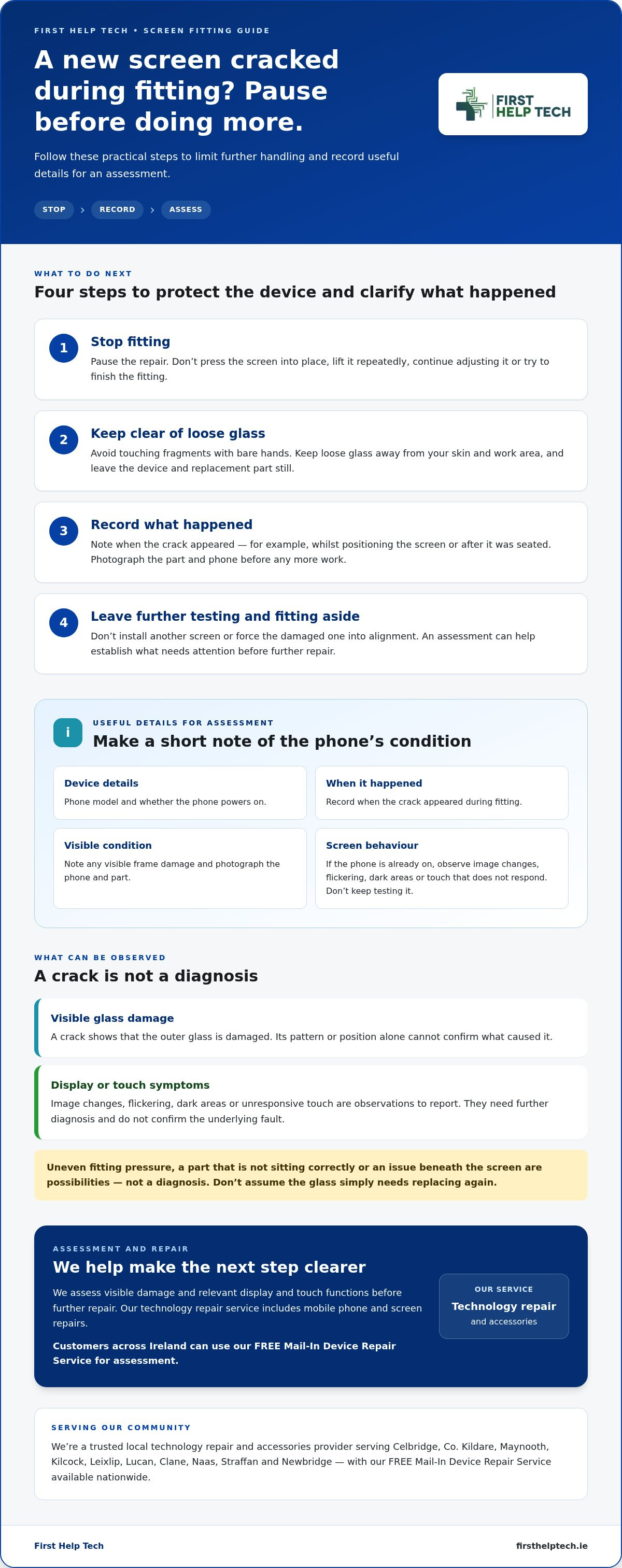
If a cracked new screen during installation stops the repair, don’t try to finish fitting it. Pause and keep the device and replacement part still. These steps can help prevent further handling from complicating the assessment:
1. Stop fitting. Don’t press the screen into place, lift it repeatedly or continue adjusting the part.
2. Keep clear of loose glass. Avoid touching fragments with bare hands, and keep them away from your skin and work area.
3. Record what happened. Note when the crack appeared, such as while positioning the screen or after it was seated. Photograph the part and the phone as they are before doing any more work.
4. Leave further testing and fitting aside. Don’t install another screen or force the damaged one into alignment. A repair assessment can help determine what needs attention next. It can also provide context if you’re discussing the replacement part with its supplier, but don’t assume a particular warranty or coverage outcome.
What information helps a repair assessment?
Make a short note of the phone’s model, when the damage appeared and whether the phone powers on. Describe any image changes, flickering, dark areas or unresponsive touch, along with visible frame damage. Don’t attempt another fitting to gather more information. These details help us understand the device’s condition and assess the next repair step.
We provide mobile phone and screen repairs as part of our technology repair service. Customers across Ireland can use our FREE Mail-In Device Repair Service as a convenient route to assessment. When you’re ready, you can request a repair quote and share the details you’ve recorded.
How can professional phone repair help after installation damage?
A new screen that cracks during fitting needs more than a visual glance before another part is installed. At First Help Tech, we assess visible damage and check relevant display and touch functions to help establish what needs attention before further repair. A black patch, flickering image or unresponsive area can point to an issue beyond the outer glass, but symptoms alone do not confirm the cause.
Pause before ordering or fitting another component. We provide mobile phone repairs and screen replacements as part of our technology repair service. Our mobile phone repair service gives you a clear route to support when a fitting has gone wrong. We assess the device and explain the next step based on its condition.
Customers across Ireland can use our nationwide mail-in repair option to send a device for assessment. Include what happened during fitting and any symptoms you noticed, so we have useful context alongside the phone.
What to expect when arranging a repair
Book online or request a quote, and include the device model, when the crack appeared and whether the phone powers on. Mention any visible frame damage, image changes or touch problems. This information helps us understand the issue before further repair is considered. If replacement components are needed, the assessment helps guide the next step rather than relying on guesswork.
Ready to move forward? Book a repair or request a quote and tell us what happened.
Take the next step with confidence
A cracked new screen during installation can leave you unsure whether to retry the fitting, replace the part or have the phone checked first. Avoid deciding on another repair based on guesswork. Have the device assessed, then use the findings to decide how to proceed.
We provide technology repair, including mobile phone repairs and screen replacements. Our team can help you understand the phone’s condition and the options for moving forward, without assuming the cause before assessment.
When you’re ready, book a repair or request a quote. Share what happened during fitting and we’ll help you take the next practical step towards getting your phone sorted.
Frequently Asked Questions
Can a phone still work if its replacement screen cracks during installation?
Yes, the phone may still power on, but that does not confirm every function is working properly. A cracked new screen during installation might still show an image while touch response or other display behaviour is affected. Don’t rely on a brief test to decide it is fine. Record what you observe and include it when arranging an assessment.
Should I turn on a phone after its new screen cracks during fitting?
Don’t switch it on just to test the repair if fitting is unfinished or internal parts are exposed. If it is already on, avoid pressing the damaged area or repeatedly checking touch response. If it is off, leave it that way until the device can be assessed. Note whether it powered on before the crack appeared.
Does a cracked replacement screen always mean the phone needs another screen?
No. The crack confirms visible damage to the replacement, but it does not show by itself whether other parts are affected or what repair is needed. An assessment can help distinguish damage to the screen from a fitting or device issue. Keep the damaged part and any packaging together if you need to discuss the part’s condition with its supplier.
Can I send a phone for repair if I cannot visit in person?
Yes. We offer a FREE Mail-In Device Repair Service for customers across Ireland, so you can arrange support without visiting in person. Include a note describing the fitting attempt and any symptoms you observed. We provide mobile phone and screen repairs, and an assessment helps establish the appropriate next step for your device.